Da Fit
- 3.6
- Rating
- 100.00M
- Installs
- Free
- Price

 Analysis by App-foxy
I approached Da Fit as a companion for a compatible fitness band rather than as a standalone sports tracker. That distinction matters. The app’s job is to turn the band’s readings into something I can check, understand, and use during an ordinary day, from a morning glance at health information to a quick look back at activity after an evening walk. It is a free sports app from MO YOUNG LTD, aimed at Everyone, and it has become a familiar choice for people using supported wearables.
My overall impression is practical rather than glamorous. Da Fit focuses on the daily relationship between a phone and a band: pairing the devices, viewing collected information, adjusting the wearable, and following changes over time. I would recommend it to someone who already owns a compatible band and wants the official companion instead of trying to force a general fitness app to handle device-specific data. I would not choose it for someone seeking a complete training platform, detailed coaching, or the depth of a specialist sports ecosystem.
How Da Fit feels during everyday use
The first thing I notice with an app like this is not a dramatic feature list but how quickly it gets out of the way. Da Fit is intended to be checked in short sessions, not left open as a destination for long reading. That makes perceived speed important: opening the app, reaching the main health view, checking recent information, and returning to the rest of the day should feel straightforward on a reasonably modern phone.
You May Also Like

 Blood Strike: 2.5 Anniversary
Blood Strike’s Loadouts Turn Every Drop Into a Tactical Gamble
A close look at Blood Strike’s custom loadouts: how fast access to signature weapons reshapes its battle royale rhythm, rewards preparation, and narrows the gap between fights.

 Pandora - Music & Podcasts
Pandora’s Music Is Easy to Start, but Harder to Recover
Pandora’s strength is its low-effort path from a seed to a station. Its weak spot is how much confidence it asks you to place in connection, setup, and quiet recovery.

 8 Ball Pool
8 Ball Pool Is Built on Rivalries, Rematches, and Routine
A close look at the rivalries, rematches, shared routines, and unanswered safety questions that turn a quick pool match into a persistent mobile community.

 Samsung Music
Samsung Music’s Quiet Strength Is Playing What You Already Own
Its reach comes less from spectacle than from dependable access to a personal library. That simplicity is both the app’s strongest retention engine and its ceiling.

 AccuWeather: Weather Radar
AccuWeather Review: A Quick, Clear Forecast for Everyday Decisions
For everyday plans, the best forecast is the one you can understand quickly. AccuWeather makes rain timing, radar, and local conditions easy to act on, with a few trade-offs.

 Hill Climb Racing
Why Hill Climb Racing Still Turns Crashes Into One More Run
A tiny car, a bumpy hill and one more upgrade: Hill Climb Racing keeps resurfacing because its simple chaos makes every near-miss feel personal.
More From Our News Desk



The current release is identified as V2.9.4-139-g7e5765f02c, and the app supports phones running Android 5.0 or later. Those details make it accessible to people who are not using a recent flagship. Still, an older supported operating system does not automatically mean identical performance on every phone. The experience can depend on the handset, Bluetooth behavior, available storage, and how many other apps are active.
In my use, the sensible expectation is quick access to routine information rather than instant results from every possible action. A band may need a moment to communicate with the phone, especially after the connection has been idle or the app has been closed for a while. That is normal for a companion app, but it changes how I use it. I do not repeatedly refresh the screen when the band has just come back into range; I give the connection a moment, then check whether the latest information has arrived.
This is also where Da Fit benefits from a simple habit. I open it when I actually want to review the day or adjust the wearable, rather than treating it like a live dashboard. That reduces the feeling of waiting and avoids turning a small delay into a constant annoyance. For quick checks, the band itself is usually the more immediate tool. The phone app becomes more useful when I want a broader view or need to manage the device.
What happens when the app is used heavily
Heavy use for Da Fit is different from heavy use for a game or a video editor. The demanding moments are likely to be the initial setup, synchronization after time away, reviewing accumulated health information, and changing several wearable settings in one session. Those tasks involve communication with the band, so the perceived speed is not controlled by the phone alone.
I would not judge the app by the speed of a single screen transition. A better test is whether it remains understandable while the phone and band exchange information. If the app shows a clear state and eventually presents the updated information, that is more valuable than an animation that feels fast but leaves me wondering whether the change was saved. With wearable software, clarity prevents repeated taps, and repeated taps are often what make a companion app feel slow.
There is a useful everyday scenario here. Imagine I leave home for a walk with the band on my wrist, return, and want to see how the activity fits into the rest of my day. I would first let the wearable reconnect, then open Da Fit and allow the information to synchronize before interpreting the result. If I immediately switch between pages or close the app while communication is still taking place, I create my own confusion. The more reliable workflow is simple: reconnect, wait for the update, review, then change settings only if necessary.
Another practical point is that a long history can make an app feel busier than a fresh installation. Da Fit is meant to help follow health information day and night, so the value comes from continuity. That also means I should not expect every screen to behave like an empty first-day setup. The app has more useful context after regular use, but I need to give synchronization enough time to maintain that context.
The best performance habit is to separate checking data from configuring the band. I check the day’s information in one brief session and handle device changes in another. This makes it easier to notice whether a problem comes from synchronization or from a setting I just changed.
Stability matters more than flashy speed
For a health companion, stability is more important than visual polish. If I rely on Da Fit to follow information collected throughout the day, I want the connection and history to behave consistently enough that I can build a routine around them. A fast interface is not very helpful if I have to wonder whether the latest reading or activity has actually arrived.
The app’s popularity gives it a substantial real-world footprint: it has passed 50 million installs, with an average rating of 3.8 from around 365 thousand ratings and about 11 thousand written reviews. I read those figures as evidence of broad use rather than a guarantee that every phone and band combination will behave perfectly. A large audience can reveal common friction, but it also includes many different devices, Android versions, Bluetooth implementations, and user expectations.
In practical terms, I would treat connection reliability as something to evaluate over several days, not during the first five minutes. Pairing may seem fine at home but feel different when the phone has been used with other Bluetooth accessories, when the band has been out of range, or when the phone has aggressively managed background activity. If the app appears to stop updating, my first step would be to bring the devices close together and reopen the connection process calmly rather than repeatedly changing unrelated settings.
There is also a difference between app stability and measurement quality. Da Fit can present information gathered by the wearable, but the app itself cannot turn a consumer band into a medical instrument. I use the information as a way to notice patterns and support everyday activity, not as a diagnosis or a replacement for professional advice. That is an important limitation for anyone considering the app because the health category can create expectations that the software is not designed to meet.
I also avoid treating a single unusual result as meaningful. A better approach is to look for a pattern across ordinary days, while remembering that the band’s fit, movement, and the type of activity can affect what gets recorded. Da Fit is more useful as a personal reference than as an authority on my body.
Phone age, operating system, and wearable limits
The Android minimum of 5.0 is generous, which helps people with older phones consider the app. However, compatibility is only the first gate. An older handset may have less comfortable multitasking, slower Bluetooth recovery, or stricter background behavior than a newer one. I would therefore separate “can install” from “will feel effortless.” Da Fit may be perfectly usable on an older phone for occasional reviews while taking longer when synchronizing a larger amount of information.
Storage and battery pressure can also shape the experience, even without assuming a specific requirement from the app. If my phone is nearly full or running many services at once, I would expect any companion application to have less room to work smoothly. Keeping the phone in a healthy state, closing genuinely unnecessary tasks, and avoiding repeated reconnect attempts are more useful than blaming every pause on Da Fit itself.
The band is the other major constraint. Da Fit is not a universal dashboard for every wearable. Its usefulness depends on having a compatible band and on the information that band can collect. Someone who does not own supported hardware has little reason to install it. Someone who wants to combine readings from several unrelated brands may find a broader health platform more convenient.
This is one of the clearest trade-offs. A device-specific companion can be simpler because it is built around its intended hardware, but that same focus limits flexibility. If I change brands often, use several sports devices, or want one central place for a large training history, I would look beyond Da Fit. If I own the matching band and mainly want to manage that one device, the focused approach makes more sense.
Where the app fits among fitness alternatives
Da Fit sits between the band’s own screen and a full sports ecosystem. The band is better for immediate information while I am moving because I do not need to take out my phone. Da Fit is better for reviewing the collected information and handling the wearable from a larger display. A specialist running, cycling, or gym platform may be better for structured training, detailed analysis, route planning, or coaching.
That comparison helps clarify who should use it. I see Da Fit as a practical bridge: it makes a compatible wearable more useful without pretending to replace every other health or sports service. For a casual walker, someone building a basic daily activity habit, or a user who wants day-and-night tracking in one companion app, that may be enough. For an athlete who needs advanced workout analysis, the app is more likely to feel like an entry point than a complete solution.
The free price is a strong advantage for the intended audience because there is no separate purchase decision just to operate the companion app. But free does not mean frictionless. The real cost is attention: pairing, synchronization, sensible interpretation of readings, and occasional troubleshooting. I would rather know that before installing it than assume the app will automatically organize every part of my health routine.
Small workflows that make a difference
One useful workflow is to establish a regular synchronization moment. I might do it after arriving home or before reviewing the day, when the band and phone are close together. This reduces the chance that I am looking at an incomplete day and helps me distinguish a genuinely missing record from information that simply has not transferred yet.
A second tip is to change one device setting at a time. If I modify several options and the wearable behaves differently, I have no easy way to identify which change mattered. Da Fit is more manageable when I treat configuration as a short checklist: make one adjustment, allow it to reach the band, then test it during normal use.
A third insight is to judge the app by the consistency of the routine it supports, not by how often I open it. The point of a wearable companion is not to keep me staring at charts. I get more value by checking at useful moments, noticing trends, and returning to real activity. If I find myself refreshing constantly, I am probably using the app in a way that creates frustration without adding insight.
For people sharing a phone or helping a family member, I would also keep expectations clear. The app is tied to a wearable relationship, so switching between devices or accounts can introduce extra setup work. I would prefer one stable phone-and-band pairing for everyday use rather than moving the band between multiple phones casually.
Who will appreciate Da Fit, and who should pass
I think Da Fit is a good match for someone who already has a supported band, wants a free companion, and values a straightforward way to follow everyday health information. It is especially sensible for users who do not need advanced sports analytics and would rather avoid a complicated platform. The Everyone content rating also makes it broadly approachable as a general-purpose sports companion.
I would be more cautious if my priority is medical monitoring, professional training analysis, or a single unified history across many brands. In those cases, a medically appropriate service or a more specialized sports platform may be a better choice. I would also skip it if I do not own compatible hardware; installing the app alone does not create the tracking experience.
People with older Android phones can reasonably try it because the minimum operating system is Android 5.0, but they should evaluate the actual pairing and synchronization experience on their own handset. If the phone is heavily constrained, the app may still install while feeling less responsive during larger updates. That is not a reason to reject it automatically, but it is a reason to test the complete routine instead of judging only the installation screen.
My performance verdict
After looking at Da Fit through the lens of speed, stability, resource demands, and recovery, I see a competent companion rather than an ambitious all-in-one fitness platform. Its strongest quality is focus: it exists to connect a compatible band with the phone and make collected information usable. The experience should be most comfortable when I keep sessions purposeful, allow synchronization to finish, and avoid expecting specialist-level analysis.
Its limitations are equally clear. Connection behavior can depend on the phone, the wearable, distance, and background conditions. The app’s value is tied to supported hardware, and its health information should be treated as everyday guidance rather than clinical evidence. Users who want deep coaching or a broad multi-device ecosystem may outgrow it quickly.
Still, for the right person, those boundaries are reasonable. Da Fit is free, widely used, compatible with older Android versions, and designed around a simple need: helping a band become part of a daily health routine. I would recommend trying it when the wearable is the priority, not when the app itself is expected to provide an entire sports career. Used that way, it feels practical, accessible, and easier to live with than a more complicated alternative.
FAQs for Da Fit
01What features does the Da Fit app offer?
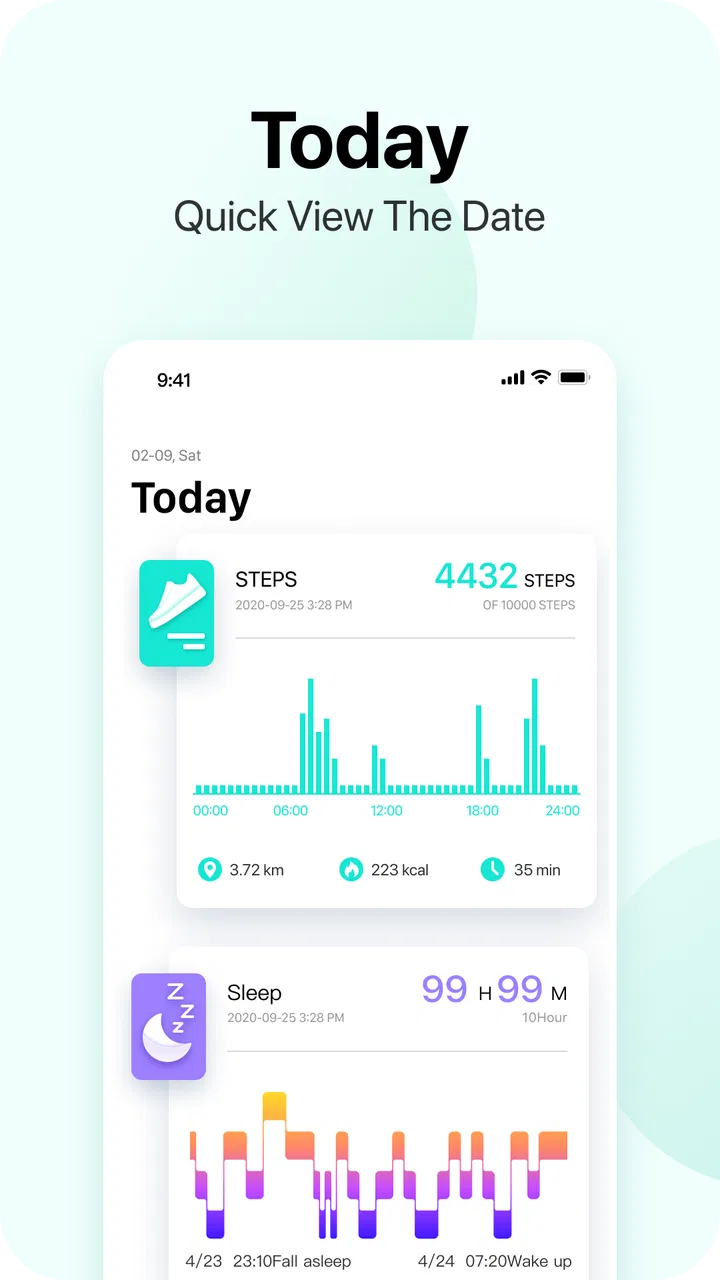
The Da Fit app provides a comprehensive suite of features including fitness tracking, heart rate monitoring, sleep analysis, and customizable watch faces. It also allows users to set fitness goals, receive notifications, and connect with compatible smartwatches. Its user-friendly interface enhances the overall experience, making it ideal for both fitness enthusiasts and casual users.
02Is the Da Fit app compatible with all smartwatches?
The Da Fit app is designed to work with a variety of smartwatches, particularly those that are budget-friendly. However, it’s important to check the compatibility list on the app’s official website or app store page to ensure your specific smartwatch model is supported. Compatibility can vary based on device specifications and operating system.
03How accurate is the Da Fit app in tracking health metrics?
While the Da Fit app provides a good level of accuracy for standard fitness metrics such as steps, heart rate, and sleep patterns, it may not be as precise as high-end fitness trackers. It delivers a reliable overview for general health and fitness monitoring, but users seeking detailed medical-grade data should consider this limitation.
04Does the Da Fit app require a subscription for all features?
The Da Fit app is free to download and use, providing access to most of its features without any subscription. However, some advanced features or premium content might require in-app purchases. It’s advisable to review the app’s in-app purchase options to understand any potential costs before fully committing.
05How user-friendly is the Da Fit app for beginners?
The Da Fit app is designed with simplicity in mind, making it highly user-friendly for beginners. Its intuitive interface and clear instructions allow users to easily navigate through different features. Additionally, the app offers tutorials and support, which can be beneficial for those new to fitness tracking applications.
Pros
- User-friendly interface with intuitive navigation.
- Wide range of compatible wearable devices.
- Customizable watch faces enhance personalization.
- Comprehensive fitness tracking and analytics.
- Real-time notifications keep you connected.
Cons
- Occasional sync issues with some devices.
- Limited third-party app integrations.
- Battery drain noticed with frequent use.
- Some features require constant internet.
- In-app ads can be occasionally intrusive.

Da Fit
Gallery